- crm
- customers
- kuwait
- small business
- records
What a simple CRM for a Kuwaiti business should and shouldn't do
A plain guide to a simple CRM for a small business in Kuwait: the few records worth keeping, what to leave out, privacy, and when a spreadsheet is no longer enough.
5 min read
In short
A simple CRM is one list of your customers and what happened with each of them: who they are, what they bought or booked, and what you promised to do next. For most small businesses in Kuwait it should do a few things well, stay out of sensitive data, and be easy enough that you actually keep it up to date.
Most small businesses already run a CRM. It is just spread out: a phone full of chats, a notebook at the counter, a spreadsheet someone started last Ramadan, and the memory of the person who has been there longest. CRM stands for customer relationship management, and the idea is simple. Keep one record per customer, with what happened and what comes next, so nothing depends on memory.
This guide is for owners of salons, clinics, academies, agencies, contractors and shops who wonder whether they need a CRM, and what a good one looks like at their size.
Signs you need one
- You have lost a lead because nobody followed up.
- Two people on your team answered the same customer differently.
- You cannot tell who your best customers are, or who has not come back in months.
- A customer asks "what did I order last time?" and you scroll through chats to find out.
- Your list of clients lives in one person's phone.
If two or more sound familiar, a simple, shared list will pay for itself quickly. It does not need to be big. It needs to be the one place you look.
What a simple CRM should do
At small-business size, a CRM earns its place by doing five things well:
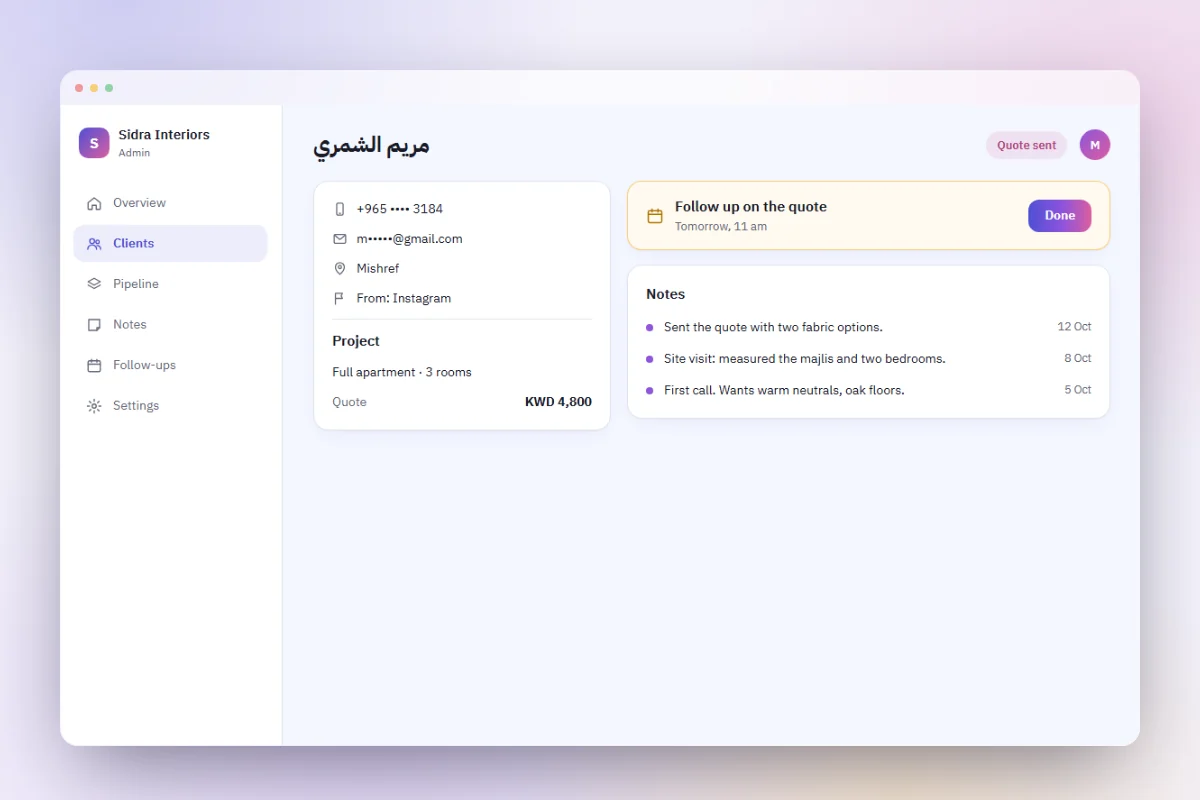
- One record per customer. Name, phone, email, area and preferred language. Arabic or English matters in Kuwait, so record it and answer in it.
- A history. What they bought, booked or asked about, with dates and amounts. Ideally this fills in by itself from your orders and bookings, so nobody types it twice.
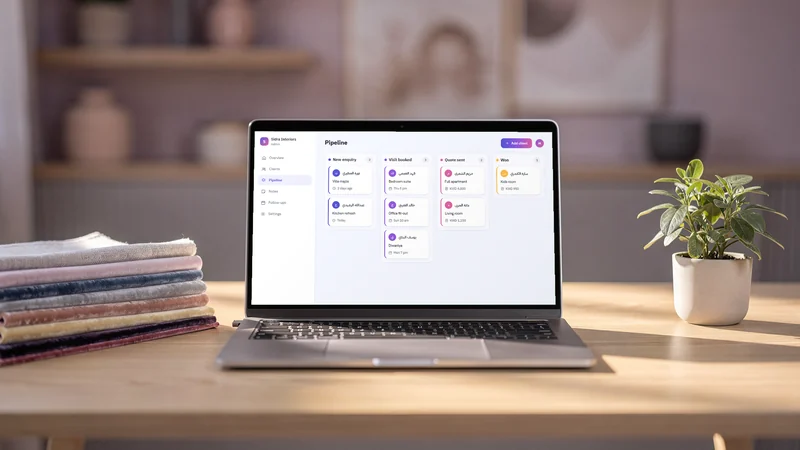
- A status for each lead. For example new, contacted, quoted, won or lost. A short pipeline shows at a glance where the money is waiting.
- A next step. Every open lead has one action and a date: call back Sunday, send the quote, confirm the fitting.
- Search and export. Find a customer in seconds by name or phone, and export the list as a CSV file whenever you want a copy.
Keep the fields few
Every extra field is a field nobody fills in. Start with the ones above and a free note. Add a field only when you have needed it three times.
Make it fit how you sell
A salon's pipeline is short: booked, came, came back. An interior designer's is longer: enquiry, site visit, quote, deposit, delivery. A tutoring academy cares about terms and levels. Name the statuses in the words you already use with your team.
What it should not do
A CRM goes wrong when it collects too much or tries to do everything.
- No card numbers, ever. Payments belong on your payment gateway's page. Storing card details yourself brings the card industry's security rules, known as PCI DSS, into your back office. Keep a reference to the payment, not the card.
- No civil ID copies or medical details unless you truly need them and have a proper system for them. A clinic's medical records belong in a system made for health information, not in a sales list.
- No buying or importing lists of strangers. A CRM is for people who chose to deal with you.
- No messages people did not agree to. If you send offers, keep a record of who agreed to receive them, and make stopping easy.
- No feature you will not use. Forecasts, scores and automations look impressive in a demo. If nobody will look at them, they are only noise.
Privacy and who can see what
Customer records are personal data, and in Kuwait the communications regulator, CITRA, has issued rules on data privacy. Check with CITRA or a lawyer how they apply to your business; this guide is not legal advice. Whatever the rules say, a few habits are simply good practice:
- Collect only what you use, and say on your site what you keep and why.
- Delete what you no longer need, such as old leads that never became customers.
- Protect the sign-in. Use a strong, unique password, and never share one login between several people. The OWASP Authentication Cheat Sheet explains why shared and reused passwords are a common way in.
- Know who has access, and remove it the day someone leaves.
A spreadsheet, an off-the-shelf CRM, or your own system?
- A spreadsheet is fine for a few dozen customers and one person. It breaks when several people edit it, when history matters, or when it lives on one laptop.
- An off-the-shelf CRM gives you a lot quickly. Check whether it works properly in Arabic, prices per user, and lets you export everything if you leave.
- Your own system, built around your business, can connect the CRM to the bookings, orders and payments you already take on your site, so history fills itself. It is worth it when the CRM is part of how you serve customers, not a separate app.
How darwaza builds a simple CRM
darwaza builds the software a business runs on, and a simple CRM is something you can describe in plain words: the customer records you keep, the statuses of your pipeline, and the admin screens to work them. Beyond its ready-made parts, darwaza writes the custom pages, data and admin screens you describe, in Arabic and English. Orders, bookings, enquiries and registrations from your site land in your admin, where you can export them as CSV files, and your customers can have their own accounts to sign in to a client portal. Each site that keeps data has its own database, kept apart from every other site.
To be honest about the limits: only you, the owner, sign in to the admin today. Team members with their own sign-in are not available yet, so a CRM shared by a sales team is not something darwaza can offer now. It also does not send emails or text messages to your customers yet, and it does not connect to accounting software. Email marketing and a WhatsApp integration are coming soon. If a single-owner CRM tied to your own site fits, you can start free and see the plan before anything is built.
Frequently asked questions
Does a small business in Kuwait really need a CRM?
Not a big one. But most businesses benefit from one shared list of customers with their history and the next step for each lead. If leads get lost, or your client list lives in one person’s phone, a simple CRM is worth setting up.
What should I record about each customer?
Start small: name, phone, email, area, preferred language, what they bought or booked, a status and the next step. Add a field only when you have needed it several times. Never record card numbers, and avoid sensitive details you do not need.
Is a spreadsheet good enough as a CRM?
For a few dozen customers and one person, often yes. It struggles when several people edit it, when you need history from orders and bookings, or when it sits on one laptop without a backup. That is usually the moment to move to a proper system.
Can my staff each have their own login?
It depends on the tool. Many off-the-shelf CRMs price per user. With darwaza, only the owner signs in to the admin today; team members with their own sign-in are not available yet. Whatever you use, never share one password between several people.
Sources
Facts that change were checked at the source on the dates shown.
- Communication and Information Technology Regulatory Authority (CITRA), Kuwaitcitra.gov.kwChecked
- PCI Security Standards Councilpcisecuritystandards.orgChecked
- OWASP Authentication Cheat Sheetcheatsheetseries.owasp.orgChecked