- kuwait
- small business
- business software
- no-code
- getting started
Build your business software in Kuwait without a developer
A practical guide for businesses in Kuwait: the real options for getting a booking system, a store or a portal built, what it needs, and a checklist to launch.
8 min read
Updated
In short
You can get the software your business runs on, such as a booking system, a store with checkout or a client portal, without hiring a developer. Decide the one job it must do, get your information right in Arabic and English, choose a route that includes sign-in, payments, an admin and hosting, then connect your domain and claim your map listings.
For most salons, cafés, clinics, academies, boutiques and home businesses, what you need online is no longer a brochure. It is software: a booking page whose requests you manage, a store that takes KNET, courses your members sign in to, a list of your clients. The hard part is not the technology. It is deciding what the software must do, gathering the right content, and picking a route you can keep up after launch.
This guide walks through the realistic options, what each one costs you in effort and control, the parts every business system needs, and a checklist you can follow from idea to launch.
What are your options for going online without a developer?
There is no single right answer. Each route trades effort, cost and control differently.
Social media only
Many businesses in Kuwait start on Instagram, and some never leave. It is free to start and your customers are already there. The trade-offs: you do not control the platform, orders arrive as scattered direct messages, prices and policies get buried in old posts, and people searching Google for your service may never find you. We look at when to move in from Instagram to your own website.
Link-in-bio pages
A link-in-bio page is a single page of buttons behind the link in your profile: menu, location, WhatsApp, booking. It is quick, cheap and a real improvement over "DM for price". But it is a list of links, not a website. It usually lives on someone else's address, does little for search and cannot take orders by itself.
Marketplaces and delivery platforms
Delivery apps and online marketplaces bring customers who are already looking to buy, and for restaurants and cafés they can be a large share of sales. The platform sets the rules, though: it usually takes a commission or a fee per order, controls how you are listed and keeps the customer relationship. Treat it as a sales channel, not as your home online.
Website builders
Template website builders let you assemble pages yourself for a monthly fee. They suit simple sites if you are patient with setup, but they give you a look, not software: bookings, member accounts and an admin usually mean plugins. Before choosing one, check how well it handles Arabic and right-to-left layout, whether it can take KNET through a local payment gateway, and how much of the setup (domain, payments, forms) you will be doing alone.
AI builders
AI builders are newer. You describe your business in a chat and the tool builds it, often including things templates struggle with, like a booking system with an admin or a store with checkout. Two catches: AI can misunderstand you, so review its plan and test the result; and many tools stop at a prototype, leaving hosting, security and payments to you. Ask what is included. We cover this honestly in what makes AI-built software production-grade.
Hiring an agency or freelancer
Paying a professional gets you the most tailored result and saves your time. It also costs the most up front, and you depend on them for later changes. If you go this way, ask who will own the domain, the hosting account and the code, how changes are priced after launch, and whether you keep your content and data if you part ways. Our guide to what a small business website costs lists the questions line by line.
What does business software actually need?
Whatever route you pick, the basics are the same. A customer opening your page on a phone should quickly learn what you offer, how much it costs, where and when you work, and how to get it, without having to message you. Behind that page, a few core parts do the work:
- Sign-in and accounts: you sign in to run the business, and customers can have accounts where it helps, for example to follow their courses.
- Payments: customers pay by KNET, card or Apple Pay, and the money reaches your own gateway account.
- An admin: one place for orders, bookings, enquiries and records, with an export.
- Hosting and security: someone keeps it running over HTTPS, checks each change, and keeps your data apart from everyone else's.
- Design: pages that look like your brand, not like everyone else's template.
And on the page itself:
- Clear information: what you sell, prices in KWD, opening hours, area and address, and how to reach you.
- Arabic and English: some customers prefer Arabic, others browse in English. Arabic should read properly right to left, not as an afterthought. See Arabic-first websites done right.
- Phone-friendly pages: many visitors will tap through from Instagram or a shared link, so test everything on a phone.
- A way to act: book an appointment, send a request, place an order or pay. A page with no next step loses people.
- Findable on Google and maps: a free Google Business Profile and a listing on Apple Maps help people find you when they search nearby. More in our local SEO guide.
- Your own domain: an address like yourbrand.com looks trustworthy, is easy to say out loud and stays yours if you change tools.
What to prepare before you start
Launches often stall on missing content rather than on technology. Gather these first and any route becomes faster.
- Your business name, a one-line description and a short "about" paragraph, in both languages.
- Products or services with prices in KWD, grouped the way customers think (for a salon: hair, nails, treatments).
- Opening hours, including Ramadan hours if they change, and the areas you serve or deliver to.
- Photos you own of your space, products and team. Natural light and a clean background beat stock images.
- Policies in both languages: cancellations, refunds, delivery fees and times, and deposits if you take them.
- Contact details: phone or WhatsApp number, email, social links and a map pin.
- If you will take payments: a merchant account with a payment gateway such as UPayments, Tap, MyFatoorah or Hesabe. Each gateway sets its own documents, review and fees, so start early. Our guides to accepting KNET and card payments online and choosing a payment gateway explain the steps.
- A domain name that is available and short enough to say over the phone.
Step by step: from idea to a live site
- Pick the main job. Decide the one thing the software must do well: take bookings, sell with a checkout, run courses or keep track of clients.
- Write the content. Use the list above. Have a fluent reader check each language, because machine translation alone tends to sound stiff.
- Choose your route. Match the tool to the main job, your budget and how much you want to do yourself.
- Build a first version. Keep it small: home, services or menu, the booking or order flow, and contact.
- Test it on your phone. Go through it in Arabic and in English, make a test booking or order, and ask a friend who has never seen it to try.
- Set up payments. Connect your gateway account, run a test payment and check that the order record matches.
- Connect your domain. Add the DNS records your tool gives you at your domain registrar, then check both languages load on it.
- Get on the map. Claim your Google Business Profile and your Apple Maps listing and add your website link to both.
- Launch and share. Put the link in your Instagram bio and your messaging profiles, and print a QR code for the counter.
- Keep it current. Review prices, hours and questions every month, and again before Ramadan and Eid.
Where darwaza fits
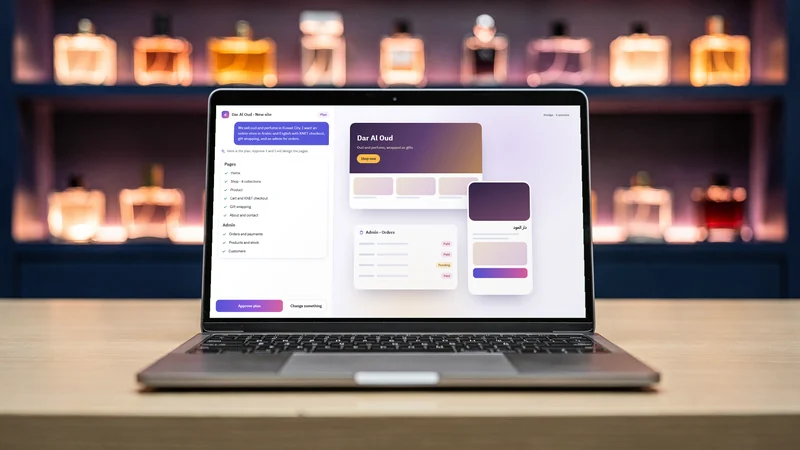
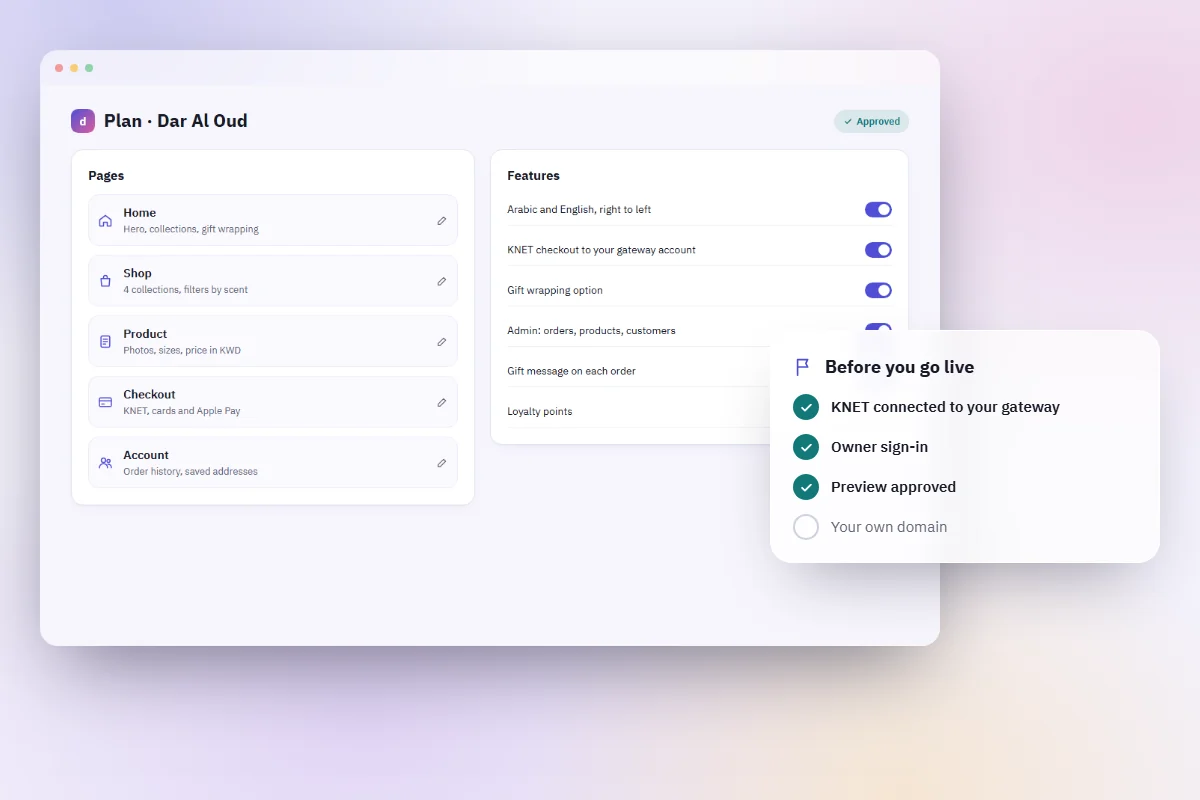
darwaza builds the software your business runs on, for businesses in Kuwait and the Gulf. You describe it in Arabic or English: a booking system, a store, courses with member accounts, a client portal or a simple landing page. darwaza asks a few questions, shows you a plan to edit, designs the screens in your colours and builds it. Beyond the ready-made parts, it writes the custom pages, data and admin screens you describe.
The core parts come built in, ready when your business needs them:
- Sign-in and accounts. Your own sign-up, sign-in and customer accounts.
- Payments. Customers pay with KNET, cards or Apple Pay through your own account with UPayments, Tap, MyFatoorah or Hesabe, on every plan, Free included, tried with test payments first.
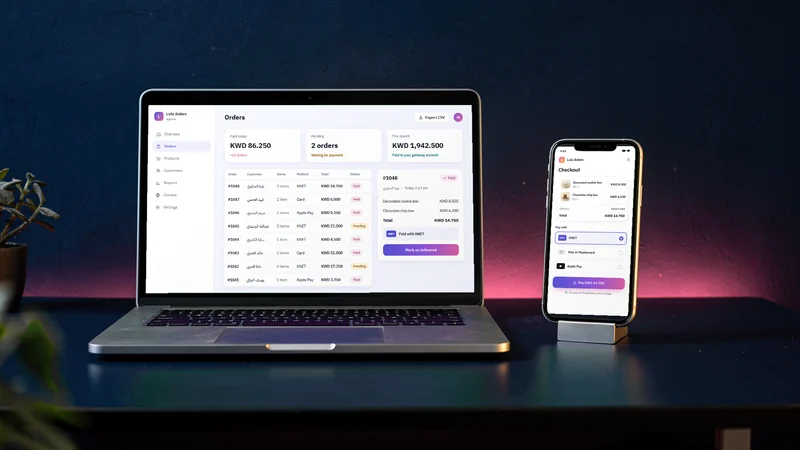
- Your admin. Orders, bookings, enquiries and registrations, with CSV export.
- Hosting. Included and managed, over HTTPS, and a new version goes live only after its checks pass.
- Design and languages. Designed for your business, not picked from a template, in Arabic and English with right-to-left done properly.
The Free plan includes one site and a free address on apps.darwaza.ai. Paid plans add your own domain and the download of your site's code and data; they are set up through Contact us, and you can see the plans.
To be clear about the limits: darwaza does not yet send emails or text messages to your customers, and only you sign in to the admin, so staff accounts are not available yet. It does not connect to accounting software or delivery apps yet, and it builds sites that work well on phones, not App Store or Google Play apps. If your business needs those today, factor that into your choice.
If that fits what you need, you can start free and review the plan before anything is built.
Frequently asked questions
Do I need a website if I already sell on Instagram?
Instagram is a good place to be discovered, but it is not built for prices, policies, bookings or payments, and you do not control the platform. Your own site gives you one link with accurate information, a checkout or a booking page, and records of every order. It also helps you appear when people search on Google.
Can I accept KNET payments online without a developer?
Yes. Payment gateways such as UPayments, Tap, MyFatoorah or Hesabe let businesses accept KNET, cards and Apple Pay on a payment page the gateway hosts, and some builders connect to them for you. You need a merchant account with the gateway, which has its own documents, review and fees, so check those before you set a launch date.
How much does it cost to put a small business online in Kuwait?
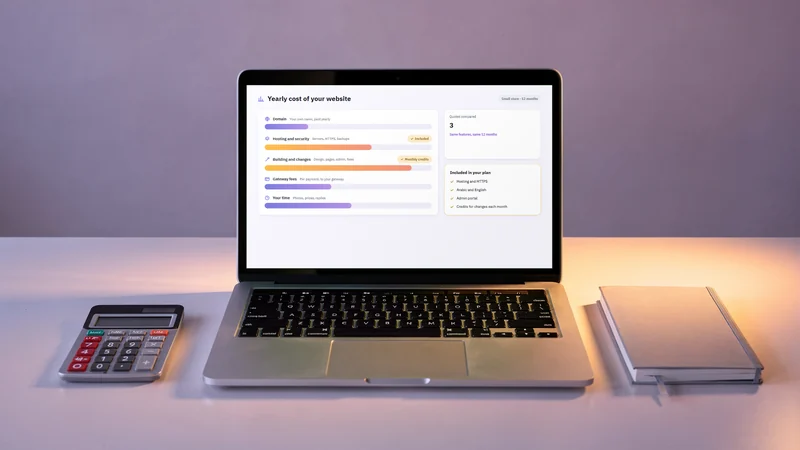
It depends on the route. Expect some mix of a yearly domain fee, a subscription for a builder or hosting, payment gateway fees, and a project fee if you hire an agency or freelancer. Ask any provider for the full yearly cost, including what changes cost after launch.
Should my website be in Arabic, English or both?
For most businesses in Kuwait, both. Some customers prefer Arabic and others browse in English, and you want both groups to feel at home. Give each language a complete version, with Arabic laid out right to left, rather than a half-translated page.
Do I need my own domain name?
You can start on a free address, but your own domain is worth it once the business is serious. It is easier to remember and share, looks more trustworthy, and stays yours if you move to another tool. Register it in your own name and keep the login yourself.
Sources
Facts that change were checked at the source on the dates shown.
- Google Business Profilebusiness.google.comChecked
- Apple Business: your place on Apple Mapsbusiness.apple.comChecked
- Central Bank of Kuwait: register of e-payment service providers (April 2024)cbk.gov.kwChecked