- payments
- knet
- kuwait
- checkout
- payment gateway
How to accept KNET and card payments online in Kuwait
A plain guide to taking KNET, card and Apple Pay payments online in Kuwait: what a payment gateway does, what to prepare, and how a safe checkout works.
8 min read
Updated
In short
To accept KNET, cards and Apple Pay online in Kuwait, you need a merchant account with a payment gateway, which shows customers a secure payment page and sends the money to your bank account. Prepare your licence, civil IDs and a business bank account, try everything with test payments first, and mark an order paid only when the gateway confirms it.
If you sell in Kuwait, customers expect to pay online with KNET, and many also want a credit card or Apple Pay. To accept these on your website you need a payment gateway: a service that shows the payment page, gets each payment approved and sends the money to your bank account. Here is how each piece works, what to prepare, and how to keep checkout safe.
What KNET is and how customers pay with it online
KNET is Kuwait's national debit network. It links the local banks, and the debit card a Kuwaiti bank issues is a KNET card, the same one people use at a shop's KNET machine. Its company, The Shared Electronic Banking Services Company, is registered with the Central Bank of Kuwait as an e-payment systems operator.
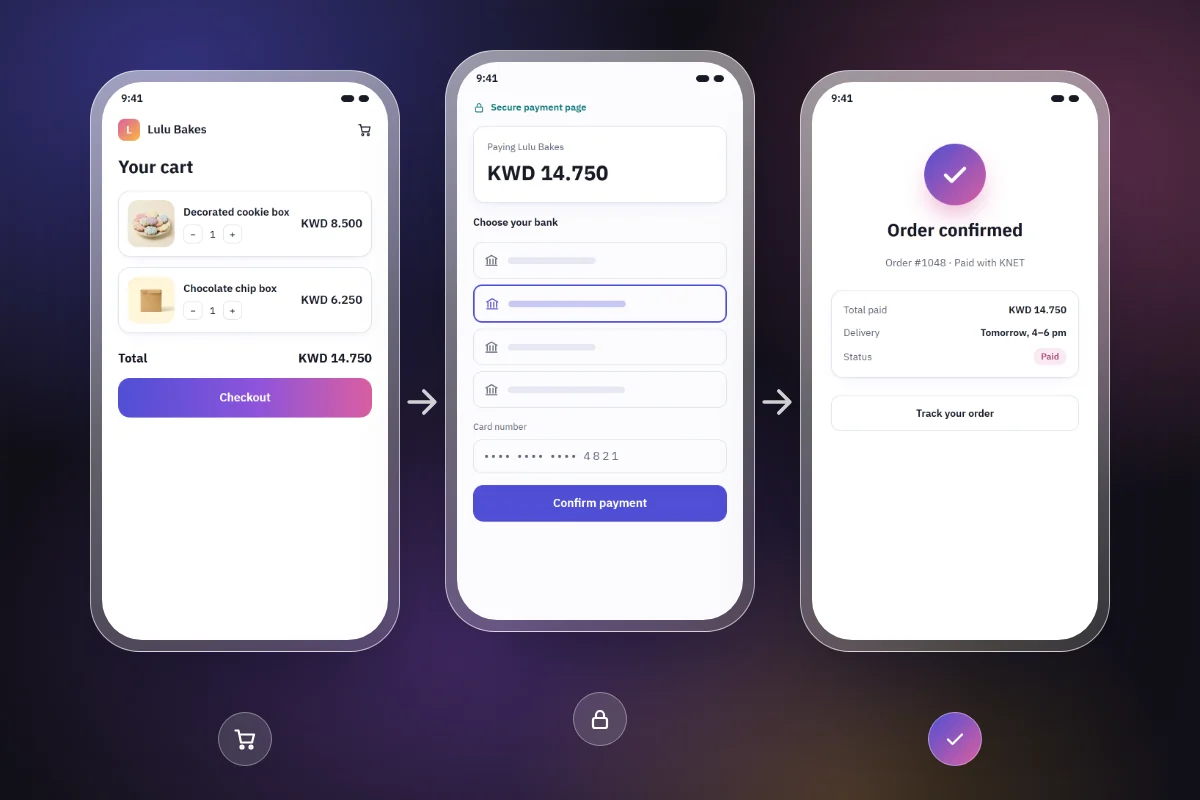
At checkout, a customer who chooses KNET moves to a KNET payment page, picks their bank, enters their card details and confirms, usually with the card's PIN. They are then sent back to your website. You can read more on KNET's website.
KNET cards are issued by banks in Kuwait, so a visitor from Riyadh or Dubai will not have one.
Credit and debit cards
Visa and Mastercard cards cover customers who prefer credit, tourists and buyers elsewhere in the Gulf. If you deliver or ship outside Kuwait, you need them.
Apple Pay
Apple Pay lets iPhone users pay with a card saved in Apple Wallet, confirmed with Face ID or Touch ID. On a phone, that is quicker than typing a card number.
Which methods you can offer depends on your gateway.
What a payment gateway does and why you need one
A small business cannot connect a website straight to KNET or the card networks. A payment gateway sits in the middle:
- Shows customers a secure payment page for KNET, cards and Apple Pay.
- Sends each payment to the customer's bank or card network for approval.
- Tells your website whether the payment succeeded.
- Transfers the money to your business bank account on its own schedule.
- Handles refunds and lists every transaction in a dashboard.
In Kuwait, payment gateways are supervised by the Central Bank of Kuwait, which keeps a register of e-payment service providers. UPayments and Tap are two of the Kuwaiti gateways on it. Compare which methods each supports, how and when it pays you, its fees, and how responsive its support is in Arabic and English; our guide to choosing a payment gateway goes through what to ask.
What to prepare before you apply to a gateway
A gateway must know exactly who it is paying, so signing up involves documents and a review of your business. Gateways in Kuwait commonly ask for some of these:
- A valid commercial licence, or the licence that matches your type of business.
- Civil ID copies for the owners and for the person authorised to sign.
- A bank account in the business's name, often with a bank letter showing the IBAN.
- For companies, documents such as the articles of association.
- A website or online page showing what you sell, prices, contact details and a refund policy.
Each gateway sets its own list, and it can change, so ask for their current requirements before you start. If you run a home business, ask early whether they accept your licence type.
Test mode and live mode
Most gateways give you two sets of keys. Test keys work with published test card numbers, for example UPayments' test cards and Tap's, so you can run full orders without real money moving. Live keys charge real customers and work only once your account is approved.
Treat your secret key like the key to your cash drawer: never send it over WhatsApp or email, and never put it on a public page.
How a safe online checkout works
Whatever tool you use, a safe checkout follows five rules:
- Use the gateway's hosted payment page. The customer types card details on the gateway's page, so the card number never touches your website. That greatly reduces your responsibilities under the card industry's security rules, known as PCI DSS.
- Never store or collect card details yourself. Not in a spreadsheet, a form, or WhatsApp and Instagram messages. If a customer sends a photo of their card, delete it and send a proper payment link.
- Confirm the payment from the gateway, not from the return page. After paying, the customer lands back on your "thank you" page, but that proves nothing: they may close the tab or lose signal, and anyone can open that page without paying. Mark an order paid only when the gateway's own notification arrives and checks out, or after asking the gateway for the payment's status.
- Handle amounts in fils. The Kuwaiti dinar has three decimals: 1 KWD = 1,000 fils. A price of KWD 2.750 should be stored as 2,750 fils. Software built for two-decimal currencies can round or misread dinar amounts, so test prices that use all three decimals.
- Show the full total before payment. Display it in KWD with three decimals, delivery included, so the KNET page shows the amount the customer expects.
Subscriptions, refunds and fees
Monthly subscriptions
The customer confirms every KNET payment, so a KNET card generally cannot be saved for automatic repeat charges. For monthly plans, such as gym memberships or tutoring packages, automatic renewal usually relies on credit or debit cards saved securely by the gateway. A simpler option is a new payment link each month.
Refunds and disputes
Refunds are usually issued from the gateway's dashboard. How long the money takes to reach the customer depends on the gateway, the payment method and the bank, so avoid promising a fixed date. With cards, customers can also dispute a charge through their bank, so keep order records and proof of delivery, and publish a clear refund policy.
Fees
Gateways charge a fee per transaction, which can differ between KNET, local cards and international cards, and some add setup or plan fees. Get the full fee schedule in writing, and ask whether fees are returned when you refund and how often money reaches your bank.
How darwaza handles payments
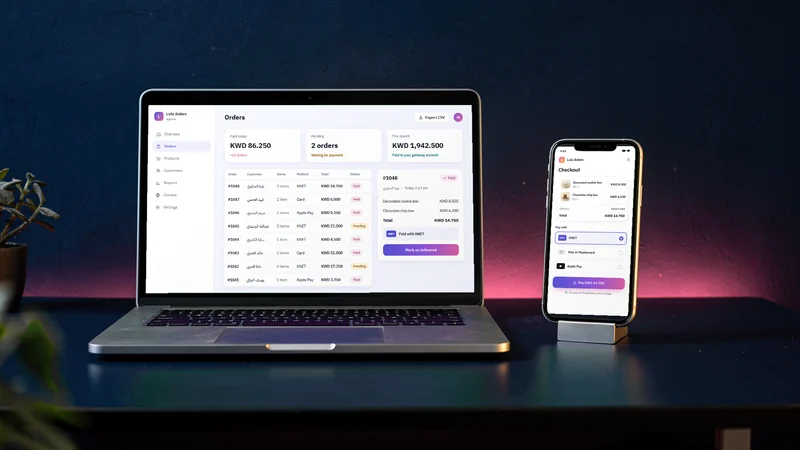
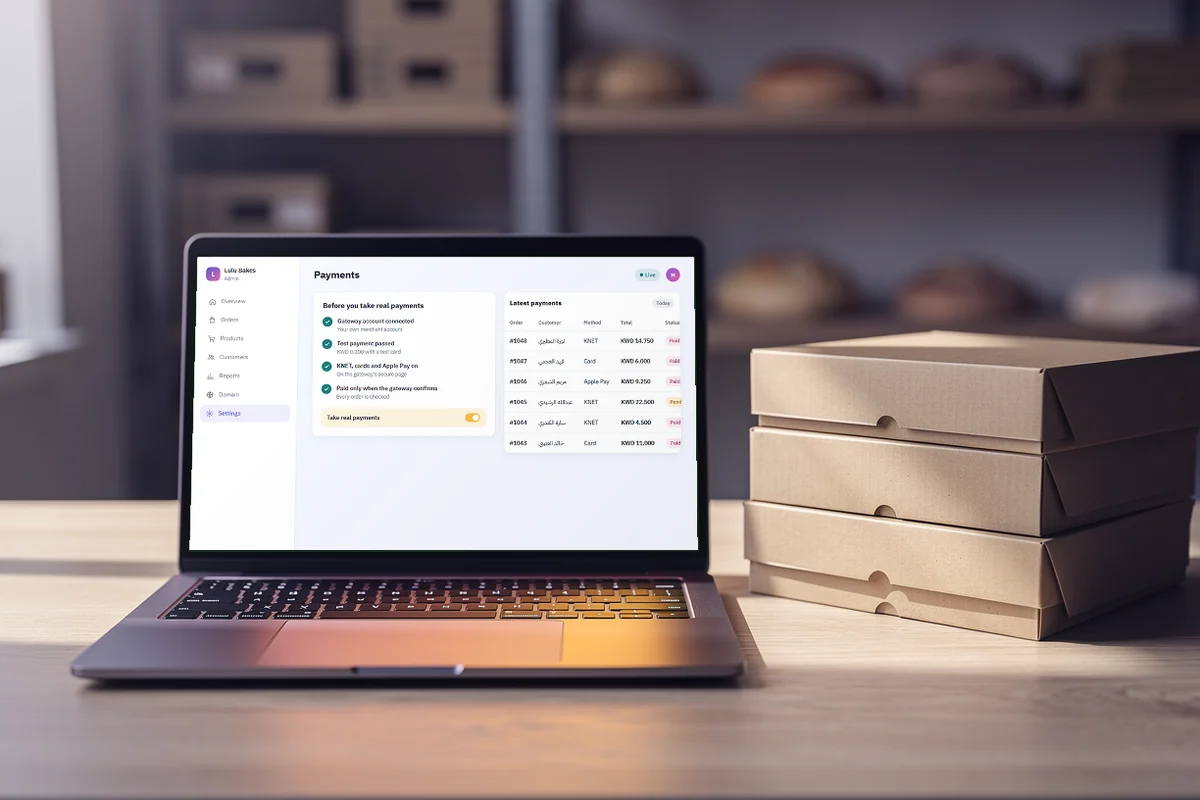
darwaza builds the software a business runs on, from a store with checkout to a booking system or a course with member accounts, and customer payments are built in on every plan, Free included. They follow the rules above:
- Your own gateway account. You connect your merchant account with UPayments, Tap, MyFatoorah or Hesabe, and the money goes to that account, not through anyone else's. The gateway's onboarding and fees apply, and they are separate from your plan.
- The gateway's secure page. Customers pay with KNET, cards or Apple Pay on the gateway's own payment page, so card details never touch your site.
- Test payments first. Your site is tried with test payments before it takes real ones, so you can run a successful, a declined and a cancelled payment without real money moving.
- Paid on confirmation. An order counts as paid only once the gateway confirms it, never because the customer came back to the "thank you" page.
- Keys kept out of the code. Your gateway's keys are added to the site securely when it goes live. They are never written into its code, or into the code you can download on a paid plan.
- Dinars with three decimals. Prices show in KWD with all three decimals, so what the customer sees is what the KNET page asks for.
A deposit when a customer books, such as a KNET deposit for a long appointment, is something you ask for in the chat, and darwaza adds it to your booking page. Two things are not available yet: recurring subscription billing, and paying out several sellers from one checkout. For monthly plans, send a new payment link or a new order each month.
Checklist before you go live
- Your gateway account is approved and in your business's name.
- The bank account that receives your payouts is confirmed.
- In test mode, you tried a successful, a declined and a cancelled payment.
- Prices show in KWD with three decimals, and totals add up correctly.
- Your refund policy, contact details and delivery or pickup terms are published in Arabic and English.
- The live key is entered in the right place only, and the test key is no longer in use.
- You made one small real KNET payment and one card payment, and refunded one to learn the steps.
- Someone on your team checks the gateway dashboard every day and matches payments to orders.
Payments are where trust is won or lost: test properly, and make sure the money flows into accounts you own. When you are ready, you can start free, describe what you sell, connect your gateway and try a test payment before your first real order.
Frequently asked questions
Can I accept KNET payments online without a commercial licence?
It depends on the payment gateway. Each gateway decides which documents it accepts, and most ask for a business licence and a bank account in the business's name. If you run a home business or hold a newer licence type, ask the gateway directly before you apply.
Do I need card payments if most of my customers use KNET?
Usually, yes. KNET cards are issued by banks in Kuwait, so visitors and customers elsewhere in the Gulf will not have one, and some local customers prefer to pay by credit card. Offering cards and Apple Pay alongside KNET means fewer customers who cannot pay.
Can I charge a KNET card automatically every month?
Generally, no. The customer confirms each KNET payment, so a KNET card usually cannot be saved for automatic repeat charges. For subscriptions, gateways typically rely on saved credit or debit cards, or you can send a payment link each month. Check what your gateway supports.
How long does it take for online payments to reach my bank account?
Each gateway sets its own payout schedule, which can depend on the payment method and on your agreement. Ask for it in writing before you sign up, and use the gateway dashboard to match each transfer with your orders.
Can customers pay me by WAMD or a bank transfer instead?
Yes, but it is not a gateway payment. WAMD, the instant transfer service KNET runs with Kuwaiti banks, and ordinary bank transfers move money from the customer’s bank app to your account, and nothing tells your site the order was paid. If you offer it, show it as a separate option that says so, such as "Pay by WAMD or transfer: we confirm your order once the money arrives", and confirm only after you see the money in your bank.
Sources
Facts that change were checked at the source on the dates shown.
- Central Bank of Kuwait: KNET and gateways added to the e-payment register (April 2024)cbk.gov.kwChecked
- Central Bank of Kuwait: e-payment service providers added (November 2024)cbk.gov.kwChecked
- Central Bank of Kuwait: the development of payment systems (WAMD)cbk.gov.kwChecked
- PCI Security Standards Councilpcisecuritystandards.orgChecked
- UPayments: test cardsdevelopers.upayments.comChecked