- export
- data
- ownership
- backups
- small business
Own your data and code: what website export really means
Before you build on any website platform, check what you can take with you: what export really means, what to ask, and habits that keep you in control.
7 min read
Updated
In short
Owning your data and code means you can take a working copy of your website, plus the records it holds, and run it somewhere else without the company that built it. Many builders only let you download your content, which is not the same thing, so ask what an export contains before you commit, and keep your domain and your payment gateway account in your own name.
Your website quickly becomes part of how you work, so who controls it matters more than it seems on day one. This guide explains why the difference between a content download and a full export matters for a small business, what to ask before you commit to any platform, and the simple habits that keep you in control.
Why owning your data and code matters for a small business
Your website quickly becomes part of how you work: bookings, orders, menus, member lists. If you cannot take it with you, the platform holds a piece of your business. That shows up in a few ways:
- Lock-in. Leaving means rebuilding from scratch, so you stay even when the service no longer suits you.
- Price changes. If the price rises or a feature moves to a higher plan, you have little room to say no.
- A provider closing or changing direction. Companies of every size shut down products. Without your own copy, your site can disappear with them.
- Hiring a developer later. As you grow, you may want custom features. A developer can extend real code, but not a closed platform.
- Backups. Mistakes happen: a deleted product list, a wrong bulk edit. A recent copy that you hold lets you recover.
- Responsibility for customer data. The phone numbers, addresses and booking history your customers gave you are in your care. You should know where they are kept and be able to get them out.
Say you run a tutoring centre in Hawalli with a booking site and two years of student records. If the platform doubles its price or closes, the question is simple: can you leave with everything, or only with a spreadsheet?
What "export" can mean: content only, or code plus data
Builders use the word export for very different things. Before you rely on it, find out which kind you are getting.
Content-only export
You can download your text and images, and perhaps a spreadsheet (a CSV file) of orders or contacts. That is useful as a record, and worth doing regularly, but it is not a working website. To get back online somewhere else, you would rebuild the pages, design, forms and admin screens from the beginning.
Full export: code plus data
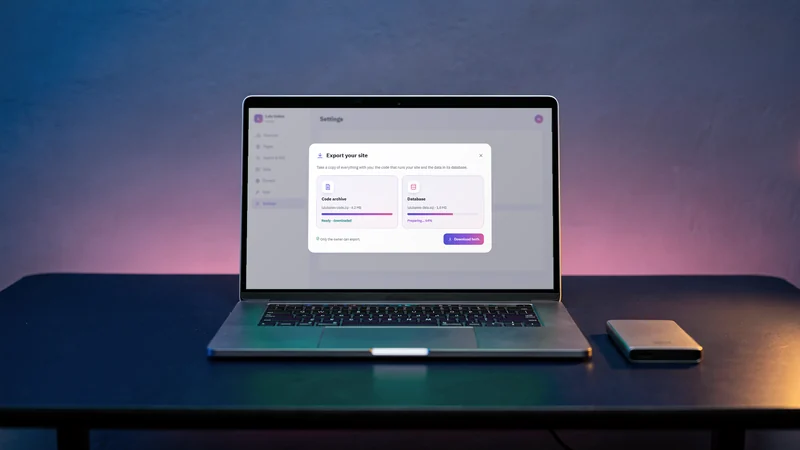
You get two things. The source code is the set of instructions that makes the site work: its pages, booking rules, checkout and admin area. The data is what the site keeps: orders, bookings, sign-ups. With both, a developer can run the same site somewhere else and carry on where you left off.
Some platforms sit in between: they let you export a template that only works on their own service. That can help you copy a site, but it does not free you from the platform.
The difference matters most on a bad day. A content export helps you remember what you had. A full export lets you keep running.
Questions to ask any website builder before you commit
- Can I export the full source code, or only my content?
- Does the export include my data, such as orders, bookings and customer accounts?
- Will the exported code run without your service, and does the export say what it needs to run?
- Is the code written in common technology that developers in the market already know?
- What is not included, such as uploaded files, images or settings?
- Which plans include export, and can I export at any time or only when I leave?
- Can I connect my own domain, and will it be registered in my name?
- Do my customers' payments go into my own payment gateway account, or through yours?
If the answers are vague, ask for them in writing. A good provider can answer each one in a sentence or two.
What a developer needs to run your site somewhere else
You will not do this yourself, but it helps to know what you are handing over. For a modern website with bookings or orders, a developer typically needs:
- Somewhere to run the code. A good export says what kind of hosting it needs, so the developer can choose a provider.
- A database to load your data into. The developer creates an empty one of the kind the code expects and loads your records into it.
- Your settings and keys. Things like your payment gateway keys are kept out of the code for safety, so they are entered again as settings wherever the site runs.
- Your uploaded files. Product photos, documents and other stored files may need to be moved separately.
- Your domain. Finally, the records for your domain are updated at your registrar so your address points to the new place.
When these are standard pieces, you are not tied to one developer either: any web developer who knows the technology can pick up the work.
What darwaza lets you take with you
darwaza builds the software a business runs on from a chat in Arabic or English, and hosts it. Here is what you keep in your own hands:
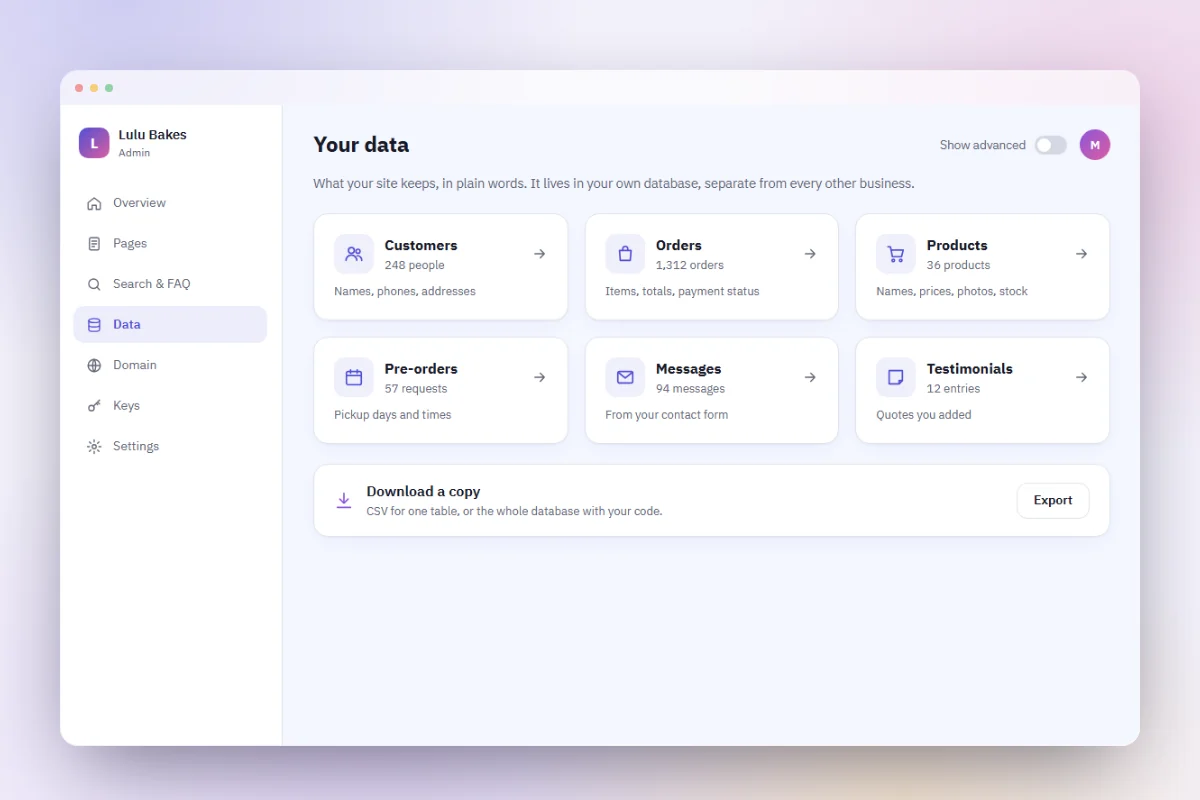
- Your records, on every plan. Each site's admin shows your orders, bookings, enquiries and registrations, with CSV export, so you can download them whenever you like.
- The code and data, on paid plans. Paid plans can download the site's source code and a copy of its database as an SQL file. Photos and files uploaded to the site are not part of the download yet.
- Your payments, now. Customers pay into your own merchant account with the payment gateway you choose, on every plan, so the money and the transaction history are yours. Your gateway's keys are added securely when the site goes live, and they are never in its code or its download.
- Your domain, on paid plans. You connect a domain registered in your own name.
- Your photos and files. You upload them from the admin, and each site keeps them in its own storage. Keep your originals as well.
Before you rely on any export, ours included, ask what it contains today and try it once, so you know what you would hand to a developer.
Good habits that keep you in control
- Export on a schedule. For example, once a month and after any big change. Keep each copy in two places, such as your computer and a cloud drive you control.
- Store exports carefully. A data export holds your customers' details, so keep it private and never share it in group chats.
- Register your domain in your own name. Not in the name of a freelancer or agency. Keep the registrar login yourself and turn on renewal reminders. ICANN publishes the rights and responsibilities of domain holders, and for .kw domains the authority is CITRA.
- Keep your payment gateway account in your business's name. The money and the transaction history should belong to you.
- Keep a private list of your settings and keys in a password manager, so you can enter them again wherever the site runs.
- Know who has access. When a staff member or developer leaves, change passwords and remove their access.
Ownership is cheap to set up on day one and expensive to fix later. Ask the questions above before you commit to any builder, whichever one you choose. If you want a site whose records you can take with you from the first day, you can start free, and see the plans for the full export.
Frequently asked questions
What is the difference between exporting content and exporting code?
A content export gives you your text, images and perhaps spreadsheets of records, but not a working website. A code export gives you the source code and the data, so a developer can run the same site somewhere else. Ask any builder which one they offer before you commit.
What can I take with me on the Free plan?
Your records. On every plan, your site's admin exports your orders, bookings, enquiries and registrations as CSV files, and customer payments go straight to your own gateway account. With darwaza, the download of the site's code and data comes with paid plans.
How often should I export my website?
A simple rule is once a month and after any big change, such as a new menu or price list. Keep at least two copies in places you control, and save each download as soon as it is ready.
Who should own my domain name?
You or your business. Register it in your own name with your own login at the registrar, even if a developer or agency sets it up for you. If it is registered to someone else, moving your website later can become difficult.
Does an export include my customers' data?
A full export includes the data, which holds the records your site keeps, such as orders and sign-ups. That makes the file sensitive, so store it somewhere private and share it only with people you trust, such as your developer.
Sources
Facts that change were checked at the source on the dates shown.
- ICANN: information for domain name registrantsicann.orgChecked
- CITRA: the authority that manages .kw domain namescitra.gov.kwChecked