- arabic
- rtl
- web design
- bilingual
- kuwait
Arabic-first, right-to-left websites done right: a checklist
What Arabic-first really means for a Gulf business website: the common right-to-left mistakes, what done right looks like, and a 10-point phone check.
7 min read
Updated
In short
An Arabic-first website is designed for Arabic from the first sketch: the whole page reads from right to left, the letters join properly, and the words sound local, with English beside it as an equal version at its own address. Check the direction, the fonts, mixed numbers and the language switch on your phone, and give each language its own address with hreflang so search engines show the right one.
For a Gulf business, the Arabic version of the website is often the first thing a customer judges before booking, ordering or calling. It is not an English site with Arabic pasted in, and customers can tell the difference within seconds.
This guide is for owners, not developers, but it is concrete enough to check your own site or brief a builder: the common mistakes, what done right looks like, how search engines tell your two languages apart, and a 10-point check for your phone.
Why does Arabic-first matter for businesses in the Gulf?
Arabic is the official language across the Gulf, and many of your customers think, search and type in it. Others prefer English, so most local businesses need both. The real question is which one you design for first.
When Arabic is added at the end, it shows: the layout still flows left to right, headings wrap in odd places, and the text reads like a translation. Customers notice within seconds, even if they could not say what is wrong. A page that feels natural in Arabic tells them you are a local business that takes them seriously.
It is also cheaper. Direction touches every page, button and form, so building it in from the start costs far less than bolting it on later.
Common mistakes on Arabic and bilingual websites
Most problems fall into a few familiar patterns. If you already have a site, look for these:
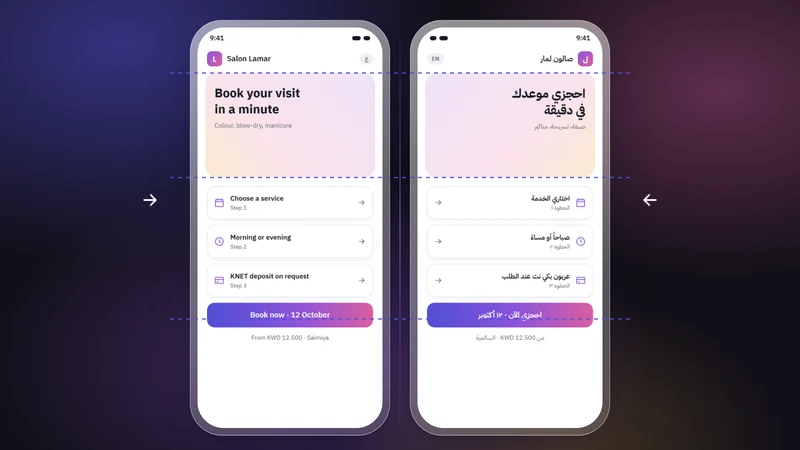
- Mirroring done halfway. The text is right-aligned, but the menu, logo, buttons and form fields stay where they would be in English, so the eye keeps jumping from side to side.
- An English layout with Arabic pasted in. Boxes sized for short English words overflow, and headings that relied on capital letters fall flat, because Arabic has none.
- Broken or spaced-out letters. Arabic letters join their neighbours. Letter-spacing, common on English headings, can pull them apart, and a font without proper Arabic support switches to another font mid-sentence or even shows the letters unjoined.
- Italics on Arabic. Arabic has no italic tradition, so browsers fake it by slanting the letters. Use bold, colour or size for emphasis instead.
- Machine translation. Roughly right grammar, wrong tone: stiff phrases, addressing a woman as a man, literal translations of product names.
- Phone numbers and emails that jump around. Inside a right-to-left sentence, a +965 phone number, an email or an order code can display scrambled, with the plus sign or the dots on the wrong side.
- Icons flipped wrongly, or not at all. Next and back arrows should point the other way in Arabic. Logos, clocks, video play buttons and photos should not be flipped.
What does a right-to-left website done right look like?
Use this list when you brief a builder or review a quote:
- The page declares its language and direction. Arabic pages carry
dir="rtl"andlang="ar"on the page itself, not on scattered paragraphs. The W3C explains why in its guide to the HTML dir attribute. - The whole layout is mirrored. Logo and menu start on the right, columns, steps and breadcrumbs run in reverse, sliders move the other way, and directional icons flip.
- Fonts made for Arabic. Ideally a typeface with matching Arabic and Latin styles, so both languages look like one brand, with no letter-spacing or fake italics on Arabic. The W3C's Arabic layout requirements describe how Arabic text should be set.
- Comfortable line height. With tall strokes and dots above and below the letters, Arabic usually needs a little more space between lines, and often a slightly larger size, than English.
- Mixed text kept in order. Phone numbers, emails and order codes are marked as left-to-right pieces inside Arabic sentences, and phone and email fields type left to right.
- Separate addresses per language. For example
/arand/en, so your Arabic and English menus are two real pages that can be shared and found in search. - A language switch that keeps your place. Switching language on a product page lands on the same product, not on the home page.
- Both languages written by people. A draft can come from anywhere, but a native writer of each language should fix it before it goes live.
- Prices in Kuwaiti dinar with three decimals. A dinar is 1,000 fils, so show 3.500 KWD, not 3.5 or 3.50, the same way in both languages.
How do search engines know which page is Arabic and which is English?
Search engines work out a page's language mainly from its visible text, so an Arabic page should be Arabic throughout, title and description included. Three more things help them show the right version to the right person:
- One address per language. Google recommends a separate URL for each language rather than switching language with cookies or browser settings, and advises against redirecting visitors automatically based on a guess about their language.
- hreflang annotations. Each page lists its other language versions with
hreflang(for examplearanden, plus an optionalx-default), and each version must point back to the other. Google's guide to localized versions of your pages covers the details. - A canonical that points to itself. Each language version names itself as its main address. If the Arabic page's canonical points to the English page, you are telling search engines the Arabic one is just a copy.
A sitemap that lists both versions completes the picture. For the rest of being found nearby, see our guide to local SEO for Gulf small businesses.
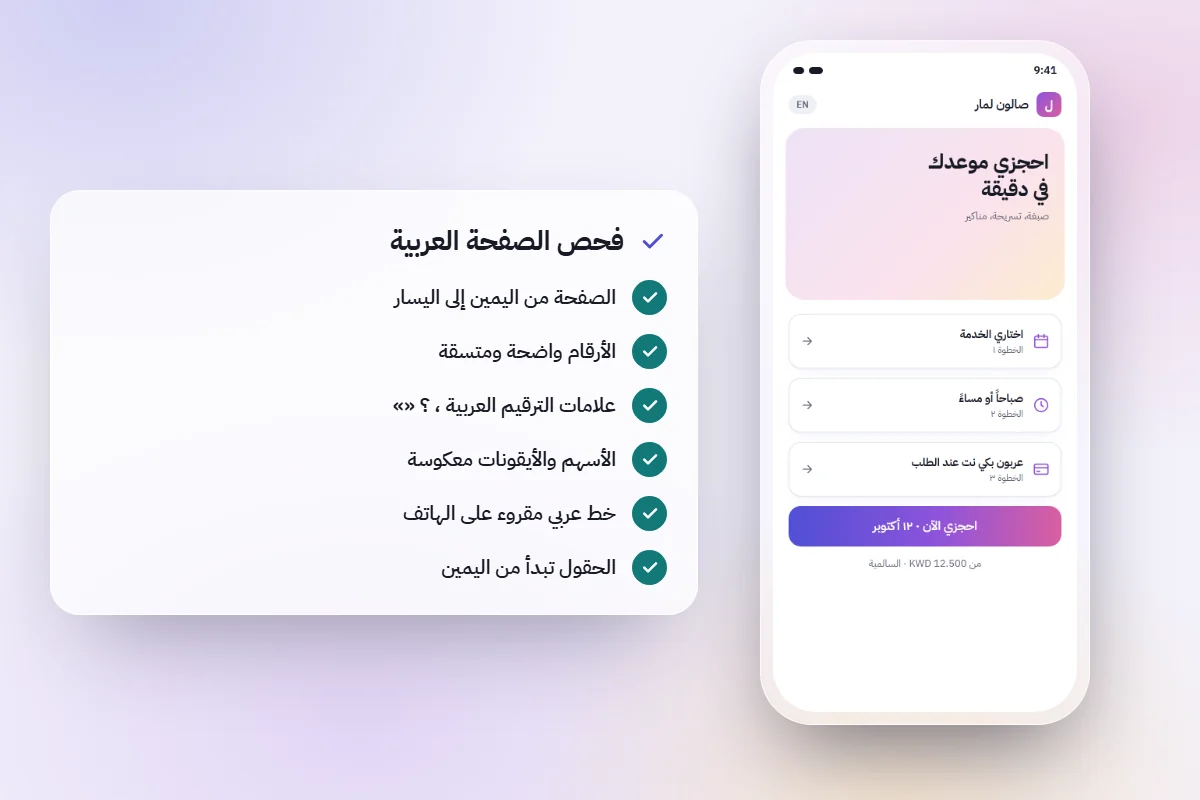
A 10-point Arabic website check you can run on your phone
Open your site, or a builder's preview link, on your phone in Arabic:
- Does everything start from the right: logo, menu, text and buttons? Do sliders swipe the way an Arabic reader expects?
- Are all the letters in headings and buttons joined, with no gaps?
- Is any Arabic text slanted, or does the font change mid-sentence?
- In a sentence with a phone number, email or price, is everything in the right order? Does tapping the number dial it correctly?
- Do next and back arrows point the Arabic way, while the logo, clocks and photos stay unflipped?
- Are prices in KWD with three decimals, matching in both languages?
- On a product or service page, does switching language keep you on the same page?
- Does the Arabic page have its own address, such as one containing
/ar? - Submit an Arabic form with a required field empty. Are the labels on the right, is the error in Arabic, and do phone and email fields type left to right?
- Read a paragraph aloud, then share the link in a chat. Does it sound local, and does the link preview show an Arabic title?
How darwaza handles Arabic and right-to-left
darwaza builds the software businesses in Kuwait and the Gulf run on, and every site it builds is in Arabic and English from the start: right-to-left done properly across the layout, each language at its own address such as /ar and /en, and fonts made for Arabic.
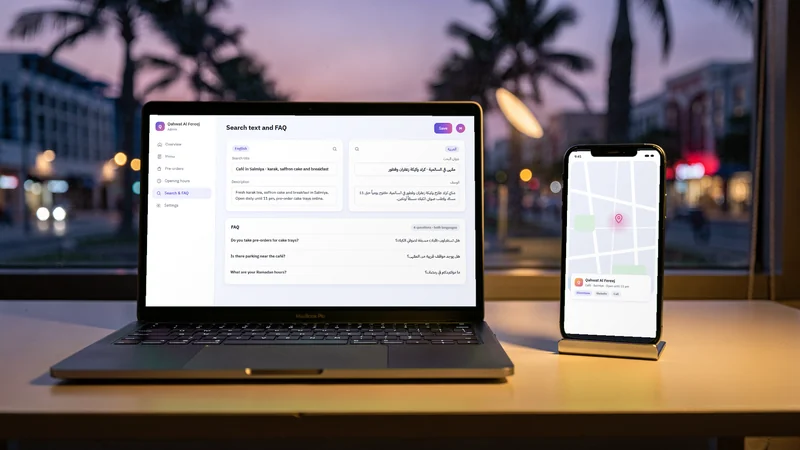
Each site also has the search basics in both languages: titles and descriptions, a sitemap, structured data and an llms.txt file, with the search text and the questions of each language yours to edit in the admin. Prices show in Kuwaiti dinars with three decimals, and customers pay with KNET, cards or Apple Pay through your own gateway account, on every plan.
AI can still get a word or a detail wrong, which is why you see each new version before it is published. Run the checklist on it, and have someone who writes both languages well read every page.
To see your own business in Arabic and English, you can start free and describe it in either language.
Frequently asked questions
Do I need both Arabic and English on my business website in Kuwait?
Most Gulf businesses serve some customers who prefer Arabic and others who prefer English, so both are usually worth having. Make Arabic a complete, first-class version rather than an add-on, and give each language its own address. If your customers genuinely use only one language, start with that one and do it well.
Is right-to-left just aligning the text to the right?
No. Right-to-left means the whole page is mirrored: menu, logo, buttons, columns, forms, sliders and directional icons all follow the reading direction. Right-aligned text inside an English layout is the most common half-done version. The page should also declare dir="rtl" and lang="ar" so browsers and search engines handle it correctly.
Can I use machine translation for the Arabic version of my website?
It can give you a first draft, but do not publish it unedited. Machine translation often gets the tone, masculine and feminine forms, and local terms wrong, and customers notice. Have someone who writes Arabic natively rewrite it, or better still, write the Arabic first instead of translating from English.
Should Arabic and English be separate pages or one page with a toggle?
Separate pages, each with its own address such as /ar and /en. Each version can then be shared, bookmarked and found in search, and Google can show the right one to each searcher using hreflang. The language switch should take visitors to the same page in the other language.
Should an Arabic website use Arabic-Indic or Western digits?
Either works; what matters is choosing one and using it everywhere. Many Gulf businesses use Western digits (0-9) in Arabic text, which keeps prices, phone numbers and order codes easy to read and copy. Whichever you choose, show dinar prices with three decimals.
Sources
Facts that change were checked at the source on the dates shown.
- W3C: structural markup and right-to-left text in HTMLw3.orgChecked
- W3C: Arabic and Persian layout requirementsw3.orgChecked
- Google Search Central: localized versions of your pagesdevelopers.google.comChecked