- bookings
- salon
- clinic
- kuwait
- dashboard
Online bookings for salons, clinics and tutors in Kuwait
How salons, clinics and tutors in Kuwait can take bookings on their own site: requests or instant booking, a dashboard to confirm, deposits, and Ramadan hours.
7 min read
Updated

In short
For most salons, clinics and tutors in Kuwait, the best first step is a booking request on your own site: the customer picks a service and a preferred time, and the request arrives in your dashboard for you to confirm. Instant booking suits a business whose calendar is always up to date, and a KNET deposit is worth adding when no-shows really cost you.
Customers decide to book at odd hours: late at night, between meetings, in the car outside. If the only way to book is to send a message and wait, many of them will book somewhere that lets them do it now. An online booking page answers the questions you get all day (what do you offer, how much, when are you free) and turns the answer into a request you can act on.
This guide is for salon owners, clinic managers, tutors and trainers in Kuwait. It covers the choice between requests and instant booking, what a booking form should and should not ask, how to confirm and follow up from one dashboard, what to do about no-shows, and the hours that change through the year.
Booking requests or instant booking?
There are two ways to take bookings online, and the right one depends on how your day really works.
Booking requests: you confirm each one
The customer chooses a service, a preferred date and time, and leaves a name and phone number. Nothing is fixed until you reply. You stay in control of your day, which matters when you also take walk-ins, when one service can run long, or when only one person can do a certain treatment. The trade-off is that the customer waits for your answer, so the reply must be quick.
Instant booking: the calendar decides
The customer sees free slots and books one, and the booking is confirmed at once. It feels modern and removes the back-and-forth, but it only works if the calendar is always right: every staff member's days off, breaks, buffer time between appointments and walk-ins must be entered, and kept up to date. A wrong slot is a promise you have to break in front of the customer.
Which one fits
- A salon with walk-ins and a busy weekend: start with requests. You can fit clients around the chair, not the other way round.
- A clinic with fixed appointment lengths and a front desk: requests at first; instant booking later, once the schedule lives in one place that staff update every day.
- A tutor or trainer: requests, because a first lesson usually needs a quick chat about level and goals.
Many businesses never need more than requests. A request answered within the hour feels personal, and in Kuwait customers expect a quick answer anyway.
What a good booking form asks, and what it never asks
Keep the form short. Every extra field loses some customers, especially on a phone.
- The service, chosen from your list, with its price in KWD and how long it takes.
- A preferred date and time, or two options, so you have room to confirm one.
- A name and a phone number, so you can reach the customer if a time changes.
- An optional note, for anything the customer wants you to know.
What a booking form should never ask:
- Medical details. A clinic's booking form is for scheduling only. Symptoms, history and test results belong in your clinic's own records, collected in person or through a system made for health information, and they come with their own rules. Ask "reason for visit" at most as a broad choice, such as "consultation" or "follow-up".
- Civil ID numbers or card details. You do not need them to hold a time, and storing them makes you responsible for them.
Confirming and following up from your dashboard
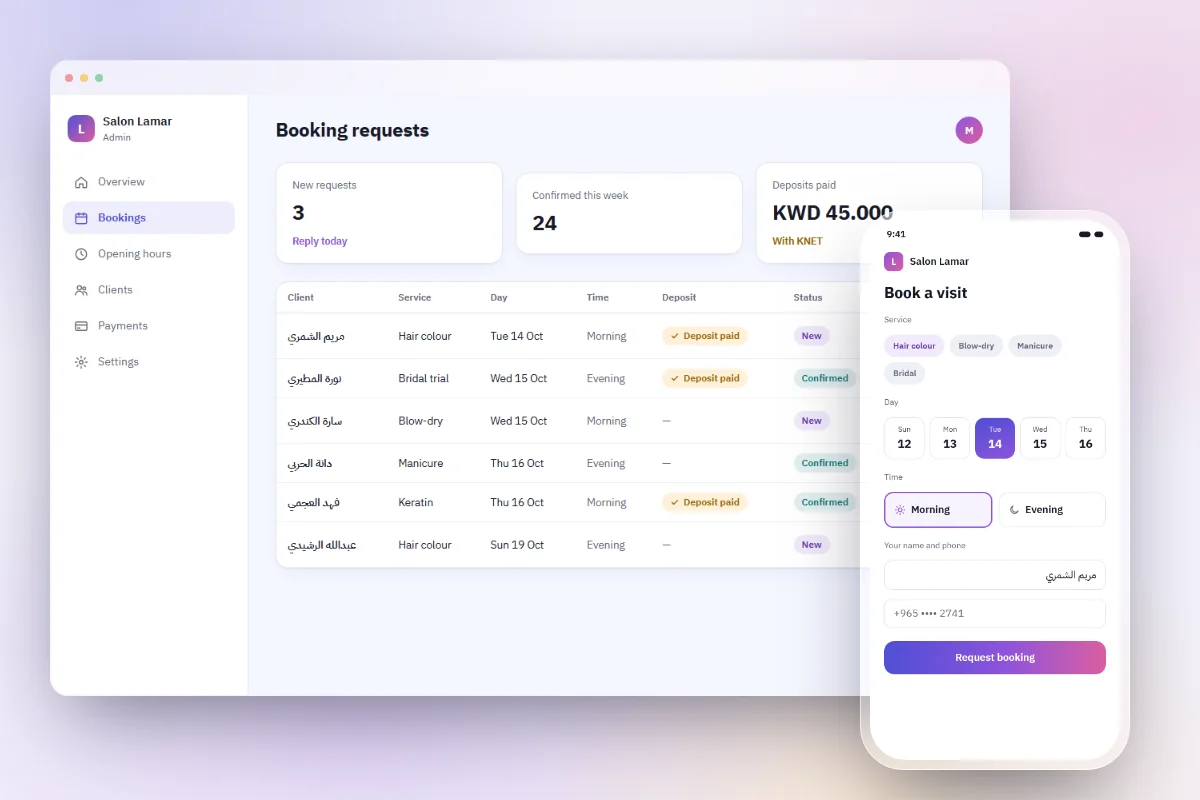
Requests that arrive in your messages, your call log and a notebook are requests that get lost. Keep every booking in one dashboard, where anyone at the desk can see what is new, what is confirmed and what is waiting, and make the routine consistent:
- Reply fast. Check new requests at fixed times, such as opening, midday and before closing, and answer within the hour where you can.
- Mark each request. Confirmed, moved or declined: the status in your dashboard is the truth, so nobody books the same chair twice.
- Use the same words every time. Confirm the service, the date and time, the address with a map link, and your cancellation rule, in the customer's language.
- Offer an alternative when you are full. "Thursday 5 pm is taken; is 6 pm or Saturday 11 am good?" keeps the booking alive.
- Remind the day before. A short message the evening before cuts no-shows more than any policy.
Once a week, look back at the list: which services are booked most, which days fill first, and who has not come back in a while. A dashboard turns bookings into something you can learn from, not just a queue.
No-shows, cancellations and deposits
Every booking business has no-shows. A few habits keep them low:
- Publish a clear cancellation rule, in both languages, before the customer books: how much notice you need, and what happens if they do not come.
- Send the reminder the day before, and ask for a simple reply to keep the slot.
- Keep a note of repeat no-shows, and ask those customers for a deposit next time.
A deposit makes sense for long or expensive appointments, such as bridal packages or a full colour treatment, or for a tutor's block of lessons. Take it online with KNET or a card through your own payment gateway, never by asking for a photo of a transfer. Say exactly when the deposit is returned, and when it is not. Our guide to accepting KNET and card payments online explains how the money flows.
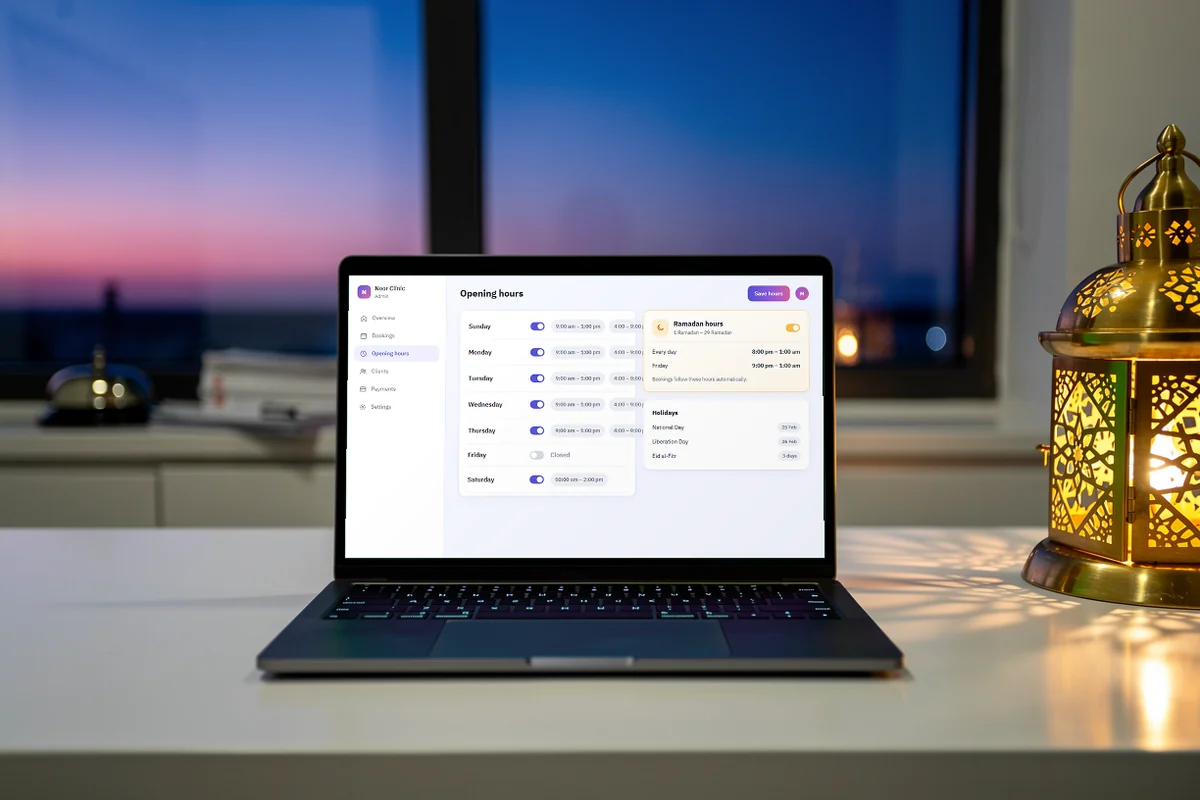
Friday, Ramadan and holiday hours
Opening hours in Kuwait change through the year, and a booking page that ignores them annoys customers fast.
- Fridays: many businesses open later, after Friday prayer. Show Friday hours as their own line rather than hiding them in "Sunday to Thursday".
- Ramadan: hours often move to the evening and the night. Update your site and your listings before the month starts, not on the first day.
- Eid and public holidays: close the dates you are closed, so nobody books a time you will not keep.
Change your hours in the same places every time: your website, your Google Business Profile (it has special hours for holidays), Apple Maps and your Instagram highlights.
Let people book from where they find you
Customers find you on Google Maps, on Instagram and through friends. Put the booking link everywhere they look:
- On your Google Business Profile, which can show a booking link or connect to supported booking providers.
- In your Instagram bio and in a story highlight called "Book".
- On a QR code at reception, so a customer can book the next visit before leaving.
More on being found nearby in our local SEO guide.
How darwaza handles bookings
darwaza builds the software a business runs on, and bookings happen on your own site. Customers choose a service and a time, and every request arrives in your dashboard, where you confirm and follow up, and export the list as a CSV file whenever you like. Your services show with their prices in KWD with three decimals, your opening hours appear on every page, and the site is designed for phones first, in Arabic and English.
Customer payments are built in on every plan, through your own account with your payment gateway. A KNET deposit when a customer books is something you ask for in the chat, and darwaza adds it to your booking page; a deposit counts as paid only once the gateway confirms it. To be clear about the limits: darwaza does not send emails or text messages to your customers yet, so reminders stay a quick message from you, and a WhatsApp integration is coming soon.
You can start free and see the plan of your booking pages before anything is built.
Frequently asked questions
Should clients book instantly or send a booking request?
Start with requests unless your calendar is always up to date. Requests let you fit bookings around walk-ins and staff, and a quick, personal reply keeps them warm. Move to instant booking once every staff schedule, break and day off is kept in one place every day.
Can I take a deposit to reduce no-shows?
Yes, for long or expensive appointments it is common. Take it online by KNET or card through your own payment gateway, on your booking page, and publish when it is refunded and when it is not. For everyday appointments, a reminder the evening before usually does more than a deposit.
Can a clinic collect medical information in its booking form?
Keep the booking form to scheduling: service, time, name and phone. Medical details belong in the clinic’s own records, collected in person or through a system made for health information, and they come with their own rules. A broad reason for the visit, such as a consultation or a follow-up, is enough to book.
Will my booking site send reminders to customers?
Not automatically with darwaza yet: it does not send emails or text messages to your customers, and a WhatsApp integration is coming soon. Until then, send a short saved message the evening before each appointment; it takes seconds and cuts no-shows noticeably.
Sources
Facts that change were checked at the source on the dates shown.
- Google Business Profile Help: set up bookings through a providersupport.google.comChecked
- Google Business Profile Help: how to set special hourssupport.google.comChecked