- domain
- dns
- kuwait
- com.kw
- website
Your own domain: .com or .com.kw, what to buy and how to connect it
A plain guide for businesses in Kuwait: choosing between .com and .com.kw, registering in your own name, renewals, and the DNS records that connect it to your site.
5 min read
In short
Your domain is the address customers type and remember, so register it in your own name, keep the login yourself and turn on automatic renewal. For most businesses in Kuwait, a .com or a .com.kw both work, and connecting it to your site means adding a few DNS records that your site's provider gives you.
A free address from a website tool is a good way to start. Once the business is serious, your own domain, such as yourbrand.com or yourbrand.com.kw, is worth it: it is easier to say on the phone, it looks trustworthy on a receipt or an Instagram bio, and it stays yours if you ever change tools.
This guide explains which ending to choose, how to buy a domain safely, how renewals and transfers work, and what "connecting" a domain actually involves.
.com or .com.kw?
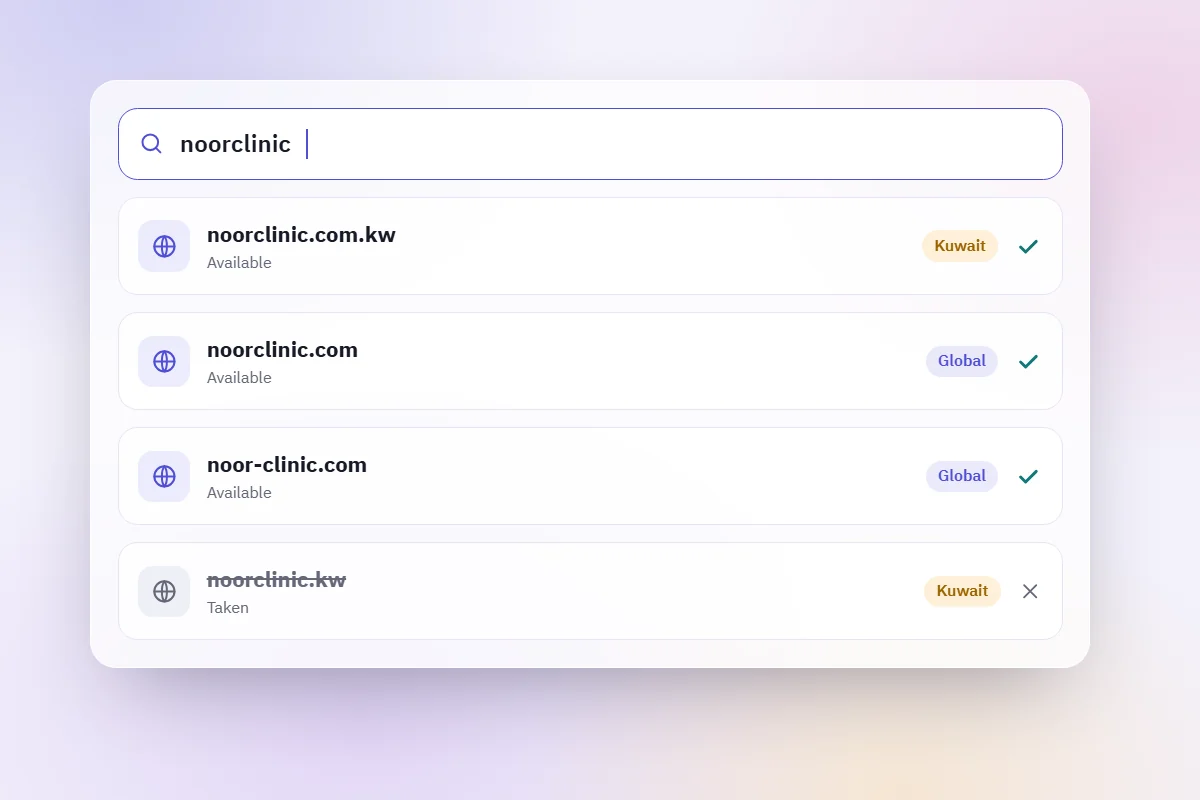
Both are good choices, and many businesses register both.
- .com is the most familiar ending worldwide. It suits a brand that sells across the Gulf or hopes to, and it is sold by registrars accredited by ICANN, the body that coordinates domain names.
- .com.kw tells customers at a glance that you are a Kuwaiti business. The .kw ending is managed in Kuwait by CITRA, the communications regulator, as the IANA record for .kw shows. Registering under .kw can ask for business documents, so check CITRA's current requirements before you start.
- Other endings such as .store or .co exist, but customers type them less naturally. Use them only when the name you want is taken everywhere else.
If you register both, choose one as your main address and point the other to it, so customers and search engines see a single site.
Choosing the name itself
- Short and easy to spell in Latin letters, because customers will type it after hearing it.
- No hyphens or numbers unless they are part of your brand.
- The same as your Instagram handle where possible, so people find you in one guess.
- Check it out loud. Say it on the phone to a friend and see whether they can type it without help.
- Check trademarks. Do not register a name that belongs to another business.
Buying it safely
Where you buy matters less than how you buy it.
- Register it in your own name, or your company's, never in the name of the freelancer or agency building your site. ICANN's page for registrants explains the rights and responsibilities of the person who holds a domain.
- Keep the login yourself, with a strong password and two-step sign-in if the registrar offers it.
- Use an email address you control for the account, and keep it working: renewal reminders and transfer codes go there.
- Turn on automatic renewal, and check the renewal price, which can be higher than a discounted first year.
- Keep the transfer lock on. It stops someone moving the domain away without you.
If someone else registered it for you
Ask them to move it into your name now, while the relationship is good. Registrars have a standard process for transferring a domain to a new holder or to another registrar; ICANN's transfer FAQs describe it.
What "connecting" a domain means
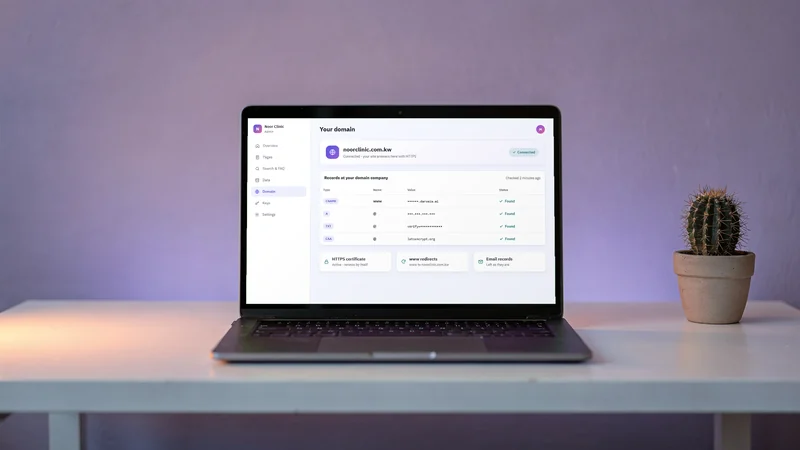
Buying a domain gives you the name. Connecting it tells the internet where your site lives. That is done with DNS records, small entries you add in your registrar's dashboard:
- A records point the name to an address on the internet.
- CNAME records point a name, such as www, to another name.
- TXT records carry text, often used to prove that you own the domain.
Your site's provider tells you exactly which records to add and what to type in each. Copy them carefully, one by one. Changes can take from a few minutes to some hours to spread, so do it on a quiet day rather than an hour before a launch.
HTTPS on your own domain
Once the domain points to your site, it needs a certificate so that every page is served over HTTPS, the padlock in the address bar. Services such as Let's Encrypt issue these automatically, and a good provider sets it up and renews it for you.
Your email is separate
A domain can also carry email, such as hello@yourbrand.com. Email uses its own DNS records, usually set up with an email provider. When you add the records for your site, leave existing email records as they are, or your email may stop arriving.
After it is connected
- Open your site on the new address in both languages, on your phone and on a computer.
- Update the link in your Instagram bio, on your Google Business Profile and on your printed QR codes.
- Keep the old free address working for a while if you shared it widely.
- Put the renewal date in your calendar anyway, even with automatic renewal on.
How darwaza connects your own domain
darwaza builds the software a business runs on, and every site starts on a free address on apps.darwaza.ai. Connecting your own domain is part of the paid plans, which are set up with you through Contact us for now. You buy the domain yourself, in your own name, from the registrar you choose; darwaza lists the records to add and checks them first before your site goes live on it. Every site, on its free address or its own domain, is served over HTTPS, with its certificate set up automatically.
The domain stays registered in your name, so it and its renewals stay with you. If you are not ready for a paid plan, you can start free on a free address and connect your domain later.
Frequently asked questions
Should my business in Kuwait use .com or .com.kw?
Either works. A .com is familiar everywhere and suits a brand that sells across the Gulf; a .com.kw shows at a glance that you are a Kuwaiti business. Many businesses register both, use one as the main address and point the other to it.
Who should own my domain?
You, or your company. Register it in your own name with an email address you control, keep the registrar login yourself, and turn on automatic renewal. If a freelancer or agency registered it for you, ask them to move it into your name.
What are DNS records, and do I need a developer to add them?
They are small entries in your registrar’s dashboard that tell the internet where your site lives. You do not need a developer: your site’s provider tells you which records to add, and you copy them one by one. Leave your existing email records as they are.
Can I connect my own domain on the Free plan?
Not with darwaza. The Free plan has a free address on apps.darwaza.ai, and your own domain comes with the paid plans, which are set up through Contact us. You can start free on the free address and connect your domain later.
Sources
Facts that change were checked at the source on the dates shown.
- IANA: delegation record for .kwiana.orgChecked
- Communication and Information Technology Regulatory Authority (CITRA), Kuwaitcitra.gov.kwChecked
- ICANN: information for domain name registrantsicann.orgChecked
- ICANN: FAQs for registrants on transferring your domain nameicann.orgChecked
- Let's Encrypt: how HTTPS certificates are issuedletsencrypt.orgChecked